


As the world moves ever more online, it’s sensible to stay digitally savvy and develop at least a basic understanding of online privacy and how you can protect yours.
But with everything from banking to booking hairdresser appointments requiring you to enter enough details to fill a memoir, it’s all too easy to fall prey to the various scammers, hackers, and black hat operatives that lurk online.
In 2025, online fraud hit record highs, with a whopping 59% of those cases relating to identity fraud, with scammers using a variety of underhanded methods to impersonate their prey.
And that’s without mentioning the other types of common online privacy breaches, including malware, phishing, and ransomware; all designed to exploit cracks in your online security and give you a planet-sized headache.
With that in mind, we figured we’d put together a guide to online privacy, packed with all the tips and tricks you need to keep the scammers at bay.
In this guide, we’ll cover:
- Setting a strong password
- Keeping apps and system software up to date
- Being vigilant with links and attachments
- Installing extra protection
But before we dive in, let’s take a moment to unpack each type of threat to your online privacy, so you can better understand what you’re dealing with.
We’ll try to keep the jargon and acronyms to a minimum.
Quick Look: Common Online Privacy Threats
The deeper you dive into the world of online safety, the murkier the waters get as scammers and hackers take advantage of ever-evolving technology to commit their crimes.
Because that’s what they are: crimes. These aren’t pranks or hijinks; they’re genuine threats to your online security, with often disastrous results.
From stolen credit card numbers racking up mountainous debts to the troubling theft of details such as names and dates of birth, there’s been a huge spike in identity theft cases in recent years, so it pays to know exactly what you’re up against.
Impersonation
As the name suggests, impersonation is when someone literally pretends to be you online, using your details— and even your image—to trick others into thinking they’re interacting with you.
And while that sounds like something that only happens to public figures, impersonation can (and does) happen to anyone.
Whether used for fraud, bullying, identity theft, or even spreading misinformation, impersonation is a serious issue and is noted in the Crown Prosecution Service’s list of types of online crime.
Malware
Malware is nasty. But with a name that’s a portmanteau of ‘malicious’ and ‘software’, that’s hardly surprising.
Often snuck onto your system via emails or phoney software, malware comes in all shapes and sizes, and is used to access, disrupt, or damage your system, with often serious consequences.
Whether it’s a virus destroying or corrupting your data or spyware stealing your personal information, malware is an online epidemic, causing both frustration and financial issues.
Phishing Scams
Perhaps the most common threat on our list, phishing scams are a specific type of online fraud where attackers pose as a legitimate person or company to trick you into handing over your most sensitive information.
Whether it’s passwords, bank details, or credit card information, phishers seek to steal your data, intending to either use the information themselves or sell it on to others.
Thanks to a barrage of memes and skits, everyone thinks they can spot a phishing scam a mile away, but as technology has progressed, phishing scams have evolved, making them difficult to identify, even for the most digitally savvy of people.
Ransomware
Wait. Isn’t ransomware the same as malware?
Not entirely. While ransomware is a type of malware, it’s much more specifically concerned with parting you from your hard-earned cash. And it deploys a variety of tactics to do so.
Whether it's blocking access to certain files, threatening to leak sensitive information, or even barring access to your system entirely, ransomware costs individuals on average £4,200 per year, according to a deep dive into the costs of cybercrime by Cyber Rebels.
How to Protect Your Privacy Online
With so many potential threats lurking, it’s sensible (read: essential) to take steps to protect your privacy online, keeping you safe from identity theft, malware, and more.
But with so many options for beefing up your online security—many coming at eye-watering prices—it can be head-spinning to know where to start.
With that in mind, here are our go-to tips for protecting your online privacy that don’t involve expensive software or abandoning the internet altogether.
Select a strong password, and update it regularly
If your password is ‘password’, stop reading this article immediately and change it. It’s not quite the triple-bluff you think it is, no matter what ‘online gurus’ have told you.
And while it may be tempting, don’t change it to something that can be easily discerned, such as your date of birth, anniversary, or first pet’s name, as this information can be pulled from your files (hello, spyware) and used to hack your system.
So, if names and dates are out, what’s in? Glad you asked.
According to experts, the strongest passwords are actually the most unusual. One school of thought is to combine a totally random selection of words, such as ‘giraffe’, ‘mug’, and ‘bike’ (giraffemugbike), before adding the required special characters.
And if you’re thinking of swapping letters in your go-to password for numbers, be forewarned: cyber criminals are well-versed in these tricks and will exploit them.
If you’re eager to put your newly-strengthened password to the test, you can use sites like security.org to check how secure your password is.
And one final tip: be sure to regularly change your password, just to be on the safe side. Experts generally recommend a refresh every three months or so. And immediately, if you suspect a privacy breach.
Keep your apps and system software up to date

We get it. The constant barrage of system and app updates can be frustrating. They’re like needy co-workers, always demanding your attention.
But these updates are more than just bug fixes and quality-of-life improvements—they’re a vital part of protecting your privacy online.
You see, the world of online security is fast-moving, with criminals constantly probing software and systems alike for vulnerabilities to exploit.
But developers are wise to this activity, employing teams dedicated to fixing any weaknesses through patches and updates designed to keep your data safe.
Whether it’s introducing updated privacy controls, closing security gaps, or adding new protections from malware, developers have a wealth of tools at their disposal to keep you safe online.
The easiest way to keep your system and apps updated is to enable ‘automatic updates’, protecting you from your own forgetfulness and your system from threats.
Be vigilant with online links and attachments
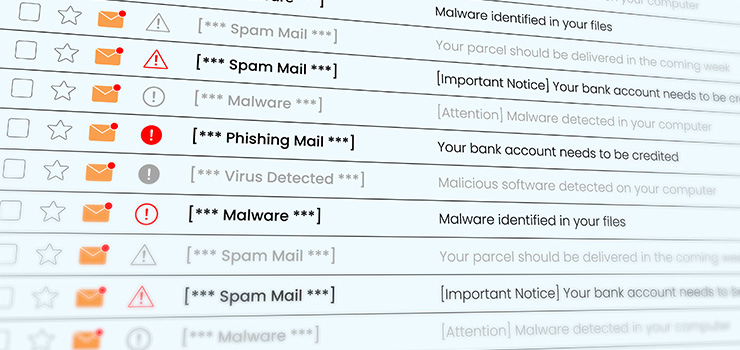
Unless you’re a digital Sherlock Holmes, with a sixth sense for dubious email attachments, you’ll probably fall victim to a spot of spam sooner or later.
There’s no shame in it. They’re often extremely convincing, mimicking harmless links and attachments so effortlessly that they’d fool even the savviest amongst us.
As you can imagine, vigilance is key. We’re all shrewd enough to spot a scam link if it basically announces itself with woeful grammar and bizarre formatting, but the realistic efforts can be much harder to identify.
Need some pointers? We’ve got you. When you receive a link or attachment, keep your eyes peeled for:
- Emails that urge you to take immediate action (e.g. ‘act now or your account will be closed’)
- Misspelt domains or email addresses
- Inconsistencies in tone from genuine emails from a company
- Requests for personal information, such as passwords or login details
By staying vigilant for these inconsistencies, you’ll protect yourself from harmful online scams.
But if you do click on a scam link or attachment, don’t panic! It happens to the best of us, and there are several steps you can take to mitigate any potential damage.
For example, you should immediately run a scan for malware, taking steps to remove anything that’s been snuck onto your system. You should also back up your files and data to protect yourself against any corruption.
It’s also wise to change your password as soon as possible; ideally, within minutes of clicking the link or opening the attachment.
FYI: Experts recommend regularly backing up your files, changing passwords, and running scans for malware to address anything that’s made it past your defences.
Install extra protection
In the world of online privacy, a little extra protection is a must. No matter how vigilant you are, there’s always a chance that something will slip under the radar.
By adding an extra layer of protection, you’ll strengthen your defences against even the most dedicated of hackers, scammers, and other black hats.
Fortunately, you’re spoiled for choice when it comes to online security. From installing dedicated antivirus software to setting up multifactor authentication, there are plenty of steps you can take to add an extra layer of protection to your system.
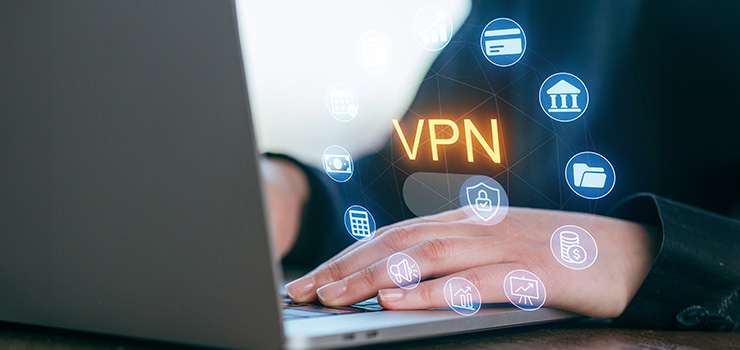
If you spend a lot of time using public Wi-Fi, you could also install a VPN, which creates an encrypted connection between your system and the internet, protecting both your online privacy and data.
While they’re not entirely impenetrable, VPNs make it much harder for scammers to track your location, movements, and online activity.
Eager to add a VPN, but don’t know where to start? PC Mag has a fantastic list of the best VPNs for 2025.

And there you have it. Our ultimate guide to protecting your online privacy. If you’ve picked up some new tools to stay safe online, we’ve done our job.
The world of online safety can be truly head-spinning, rife with acronyms and jargon. But it’s important to stay vigilant; the scammers lurk around every online corner.
Need more tech advice? We’ve got you. Check out our blog, where you’ll find articles on everything from essential tips for setting up a new PC to how to transfer files to a new computer.
 RSS Feed