


If you’ve ever written a CV, drafted an essay or thrown together a last-minute letter with a vague sense of urgency, chances are you’ve used a word processor.
And in the world of word processors, two names tend to crop up again and again: Microsoft Word and Apple Pages.
Word is the old reliable classic – the tool of choice for offices, universities and pretty much anyone who’s ever been asked to ‘send it over as a Word document, please’.
Pages, on the other hand, is Apple’s sleek minimalist alternative: beautifully designed, surprisingly powerful and often overlooked unless you’re already deep in the Apple ecosystem.
At first glance, they seem to do the same job. You type words, you format paragraphs, you export a document and off you go.
But dig a little deeper, and the differences start to add up – from features and compatibility to collaboration tools and cost.
So, whether you’re a student trying to pick the best tool for assignments, a professional juggling documents all day or just someone wondering why formatting looks different on someone else’s laptop (we’ve all been there), we’re here to help.
In this guide, we’ll break down the key differences between Apple Pages and Microsoft Word, so you can figure out which one is better suited to your needs – without requiring a degree in file formats.
We'll be covering:
- Overall user-friendliness
- Range of features
- Interface and design tools
- Exporting and compatibility
- Collaboration and cloud features
- Price and value
- Which one is right for you
Pages vs Word: at a glance
Before we get too deep into formatting tools, exporting quirks and the surprisingly emotional world of document software, it’s worth taking a quick step back.
If you’re the kind of person who likes the TL;DR upfront (and honestly, who isn’t?), here’s Apple Pages vs Microsoft Word at a glance – the key differences, minus the waffle.
| Feature | Pages | Word |
| Best for | Apple users, clean design | Professionals, power users |
| Price | Free on Apple devices | Subscription-based |
| Collaboration | Good, especially within Apple's ecosystem | Excellent, cross-platform |
| Compatability | Limited outside Apple | Industry standard |
Of course, there’s a bit more nuance lurking beneath the surface – so let’s break things down properly.
What are Pages and Word, exactly?
Before we start comparing features and picking favourites, it’s worth clarifying what we actually mean when we talk about Pages and Word.
After all, they’re both word processors, but they come from very different worlds, and they’re designed with slightly different users in mind.
Pages
Apple Pages is Apple’s built-in word processor, available on MacBooks, iPads and iPhones.
It’s designed to be clean, intuitive and visually polished, making it a great option if you want to create documents that look good without spending hours fiddling with formatting.
Pages is especially popular with macOS and iPadOS users who want something simple, modern and seamlessly integrated into the Apple ecosystem.
It also comes with a strong range of templates, which is ideal if you’re creating things like CVs, posters, newsletters or sleek-looking reports.
Microsoft Word
Microsoft Word, meanwhile, is the heavyweight champion of the word processing world.
It’s the global standard – used in schools, universities, offices and businesses pretty much everywhere.
Word is packed with advanced tools for formatting, referencing, collaboration and professional document creation, which is why it remains the default choice for so many people.
Word has been around forever – and it knows it.
In short: Pages is sleek and streamlined, while Word is powerful, feature-rich and universally recognised.
Now, let’s see how they compare where it really matters.
Overall User-Friendliness
When it comes to choosing between Pages and Word, user-friendliness is often the first thing people notice.
After all, it doesn’t matter how powerful a piece of software is if using it feels like trying to pilot a spaceship just to change the font size.
Both Pages and Word are designed to help you create professional documents, but they go about it in very different ways.
Pages: simple and minimalist
Apple Pages is, in true Apple fashion, all about simplicity.
The interface is clean, modern and refreshingly uncluttered, making it a great choice if you just want to sit down and start writing without being bombarded by endless buttons and dropdown menus.
Pages is especially well-suited to:
- Everyday documents
- CVs and cover letters
- School assignments
- Anything that doesn’t require 47 different formatting tools
In other words, Pages is ideal for casual users or anyone who values a streamlined experience over an overflowing toolbox.
Word: powerful, but a bit busy
Microsoft Word, on the other hand, is the feature-packed veteran.
It can do an astonishing amount – from academic referencing to advanced layout control – but that power comes with a slightly steeper learning curve.
Word’s ribbon menus are famously dense, and if you’ve ever gone hunting for a single setting only to find twelve tabs staring back at you, you’re not alone.
That said, Word’s complexity is also its strength.
It’s often the better choice for:
- Long academic documents
- Professional reports
- Workplace collaboration
- Projects that require detailed formatting
So while Pages feels like a calm, minimalist writing desk, Word is more like a fully stocked office supply cupboard.
It may take a little longer to find what you need, but chances are, it’s in there somewhere.
Range of features
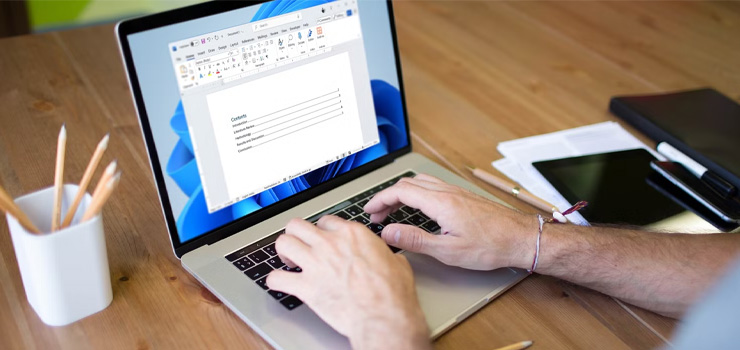
Once you move beyond the basics – typing, adjusting fonts and trying to keep headings from doing something strange – the real differences between Pages and Word start to show.
Both programs are perfectly capable word processors, but the depth of their feature sets is where they begin to diverge.
Where Word really shines
Microsoft Word is, quite frankly, packed.
It’s been the industry standard for decades, and over time it’s accumulated a huge range of tools designed for professional, academic and workplace use.
Word excels in areas like:
- Advanced formatting, especially for long or complex documents
- References, citations and footnotes, which are essential for essays and dissertations
- Track Changes and commenting, making it ideal for editing and collaboration
- Mail merge, a very ‘office-core’ feature that lets you generate bulk letters, labels and emails
In short: Word is built for people who need their documents to do more than just look nice – it’s designed for heavy-duty document work.
Where Pages stands out
Apple Pages takes a different approach.
Rather than offering every feature under the sun, Pages focuses on doing the essentials beautifully, with a strong emphasis on layout and design.
Pages is really good for:
- Visually polished documents with clean formatting
- Templates for flyers, posters, newsletters and CVs
- Simple writing projects that don’t require endless technical tools
It’s not trying to be the most feature-heavy platform – it’s trying to be the most approachable.
Pages is a minimalist notebook. Word is a fully stocked stationery cupboard.
Both are useful – it just depends whether you want simplicity or every tool imaginable at your fingertips.
Interface and Design Tools
Interface might not sound like the most exciting comparison point, but in practice, it matters a lot.
After all, you could have the most powerful word processor in the world, but if it feels awkward to use, you’ll spend more time fighting the layout than actually writing.
Pages and Word take very different approaches here, and the difference is immediately noticeable the moment you open them.
Pages interface: sleek and visual
Apple Pages is, unsurprisingly, very Apple.
The interface is clean, spacious and designed to stay out of the way, which makes it especially appealing if you prefer a minimalist workspace.
Pages also leans heavily into drag-and-drop design tools, allowing you to move images, text boxes and elements around the page with ease.
This makes it a great choice for visually driven documents like:
- CVs
- Flyers
- Posters
- Newsletters
- Reports that need a bit of polish
In short: Pages is as much about presentation as it is about writing.
Word interface: feature-rich, and slightly intimidating
Microsoft Word’s interface is built around the famous ribbon menu system – a long row of tabs packed with tools for formatting, editing, reviewing and more.
It can feel a little dense at first, especially if you’re a casual user who just wants to type up a quick document without scrolling through 12 options for paragraph spacing.
That said, Word’s interface is incredibly functional once you get used to it, and it’s designed to give power users quick access to a huge range of features.
Another major advantage is continuity: Word looks and feels broadly similar whether you’re using it on Windows or on a Mac.
So if you’ve ever switched computers or worked between home and the office, that consistency can be a real comfort.
Pages is sleek and design focused. Word is familiar, feature packed and built for getting serious work done.
Exporting and Compatibility

If there’s one area where the Pages vs Word debate becomes less about personal preferences and more about practical reality, it’s compatibility.
Because no matter how nice your document looks on your own screen, the real question is: will it look the same when someone else opens it?
This is also where one of the most common questions comes up: can Pages open Word documents?
The short answer is yes – but with a few caveats.
Word compatibility: the universal standard
Microsoft Word has one huge advantage: it’s everywhere.
The .docx file format is essentially the global standard for written documents, used across schools, universities, workplaces and businesses worldwide.
That means Word documents:
- Work smoothly across most devices and platforms
- Are instantly recognisable to others
- Are usually the safest option for professional or academic settings
If you’re sending an important document to someone else, especially in a formal context, Word is often the default expectation.
If you’re emailing your dissertation to a lecturer, Word is usually the safest bet.
Pages export: flexible, but not always perfect
Apple Pages can absolutely export documents into other formats, including:
- Word (.docx)
- EPUB
So, if you write something in Pages, you’re not stuck in Apple-only territory.
However, formatting can sometimes shift when converting between Pages and Word, especially if your document includes complex layouts, tables or design-heavy elements.
In other words, the words will still be there, but the spacing, fonts or page breaks might decide to do their own thing.
Pages works best when:
- You’re sharing documents with other Apple users
- You’re exporting to PDF for a fixed final version
- You don’t need absolute Word-perfect compatibility
So, while Pages is perfectly capable, Word still wins when it comes to universal document sharing and professional consistency.
Compatibility may not be glamourous, but it can save you a lot of last-minute formatting panic.
Collaboration and Cloud Features

These days, writing isn’t always a solo activity.
Whether you’re co-authoring a report with colleagues, sharing lecture notes with classmates or sending a draft back and forth with someone who really loves comments in the margins, collaboration tools matter.
Both Pages and Word offer cloud-based features, but one is definitely more universal than the other.
Word + Microsoft 365: built for teamwork
Microsoft Word, especially as part of Microsoft 365, is designed with collaboration in mind.
It allows multiple people to work on the same document at the same time, with real-time editing, comments and version tracking.
Word also integrates seamlessly with:
- OneDrive for cloud storage
- Microsoft Teams for workplace sharing and communication
- The wider Microsoft Office suite (Excel, PowerPoint, Outlook, etc.)
This makes Word a particularly strong choice for professional environments, where documents are rarely handled by just one person.
In short: if you work in an office, Word is probably already part of the furniture.
Pages + iCloud: smooth, but more Apple-centric
Pages also supports collaboration through iCloud, and it works very well – as long as everyone involved is using Apple devices.
You can share documents, edit together and access files across MacBooks, iPads and iPhones with ease.
The experience is typically fluid, simple and very on-brand for Apple.
The limitation is that Pages collaboration is less universal outside the Apple ecosystem.
If you’re working with Windows users or sending documents back and forth in a mixed-device workplace, Word tends to be the more straightforward option.
So while both platforms offer cloud features, Word wins for broad, cross-platform collaboration – and Pages shines when you’re staying firmly in Apple territory.
Price and Value

For many people, the decision between Pages and Word isn’t just about features or interface – it’s about cost.
After all, there’s something deeply satisfying about finding a tool that does exactly what you need without quietly charging you every month.
So, how do Pages and Word compare when it comes to price and overall value?
Pages: free (and pleasantly so)
Apple Pages comes free with every Mac, iPad and iPhone.
There’s no subscription, no add-ons and no ‘unlock the premium features’ prompt waiting around the corner.
If you already own an Apple device, Pages is essentially ready to go straight out of the box, which makes it a very appealing option for casual users, students or anyone who wants a capable word processor without extra cost.
Word: powerful, but usually subscription-based
Microsoft Word, on the other hand, is often accessed through a Microsoft 365 subscription.
That subscription typically includes the full Office suite, along with cloud storage and collaboration tools.
In many cases, Word is also bundled through:
- Workplace licences
- University student accounts
- Family plans
So you may already have access without realising.
Still, for individual users paying out of pocket, Word does come with an ongoing cost.
Word isn’t expensive, but it does like a recurring payment.
Ultimately, Pages offers excellent value if you want something free and simple, while Word justifies its price through depth, features and workplace-level functionality.
Future Plans
When choosing between Pages and Word, it’s also worth thinking about the long game.
After all, word processors aren’t exactly going anywhere – we’ll still be writing essays, reports, letters and overly detailed shopping lists for the foreseeable future – but the way these tools evolve does matter.
Microsoft and Apple have very different visions for what their document software should become.
Word: constantly expanding (and increasingly cloud-powered)
Microsoft continues to invest heavily in Word, especially as part of the wider Microsoft 365 ecosystem.
In recent years, Word has become more than just a place to type text; it’s increasingly tied into:
- Cloud collaboration
- Workplace productivity tools
- AI-assisted writing features
- Seamless integration with Teams, Outlook and OneDrive
Microsoft’s focus is clearly on making Word smarter, more connected and more powerful for professional and academic users.
In other words, Word isn’t resting on its laurels – even if it’s earned the right to.
Pages: staying sleek, simple and design-led
Apple, meanwhile, has kept Pages on a slightly different path.
Rather than packing it with endless tools, Apple’s approach tends to prioritise:
- Simplicity
- Clean design
- Smooth performance across Apple devices
- User-friendly templates and layouts
Pages continues to be a polished, capable option for everyday writing and visually driven documents, without trying to become an all-in-one office powerhouse.
The bottom line
Both Pages and Word are sticking around, and neither is in danger of disappearing any time soon.
The real difference is direction:
- Word is evolving into a feature-rich, cloud-first productivity platform
- Pages is remaining a streamlined, design-focused writing tool for Apple users
So whichever one you choose, you’re not betting on a dying platform – you’re simply choosing the future that fits your workflow best.
Which one should you choose?
So, after all that – where do we actually land on the great Pages vs Word question?
As with most tech debates, there isn’t one universal winner. Both Apple Pages and Microsoft Word are excellent tools, but they’re designed for slightly different types of users.
The best choice comes down to what you need from your word processor – and how complicated you want your document life to be.
Choose Pages if:
- You’re primarily a Mac or iPad user
- You want to create clean, good-looking documents without much effort
- You don’t need a huge library of advanced tools
- You like the idea of a simple, streamlined writing experience
Pages is perfect for everyday writing, visually polished layouts and anyone who prefers their software calm and uncluttered.
Choose Word if:
- You’re working professionally or academically
- You need documents that are universally compatible
- You collaborate regularly with others
- You want access to advanced features like citations, Track Changes and workplace-level tools
Word remains the gold standard for a reason, especially when documents need to travel between devices, people and organisations.
Final thoughts
Pages is sleek, simple and ideal for Apple users.
Word is powerful, widely recognised and built for serious document work.
Whichever one you choose, the best word processor is ultimately the one that fits your workflow – and helps you get words on the page with the least amount of fuss.
Whether you’re Team Pages or Team Word, the best writing tool is the one that fits your workflow – and your budget.
And of course, whichever software you choose, having a reliable computer underneath it all makes the experience far smoother (and far less likely to end in a formatting-related meltdown at 11pm).
The good news is that you don’t necessarily need to buy brand new to get a high-quality machine. Refurbished MacBooks and Windows laptops can offer excellent performance at a lower cost, making them a smart option for students, professionals and everyday users alike.
Need more tech advice? Explore the Stone Refurb blog for more beginner-friendly guides, comparisons and tips – whether you’re trying to decide between Mac and PC or want to know more about why you should buy refurbished.
 RSS Feed