


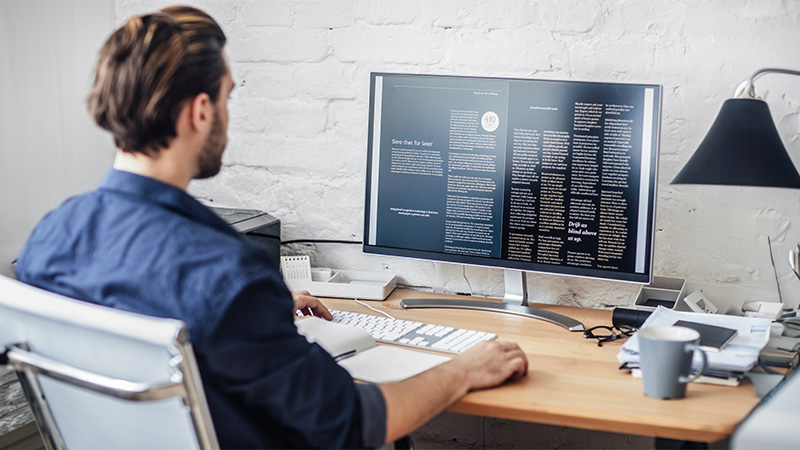
You’d think that by now, desktop computers would be relics, consigned to the annals of tech history by their sleeker counterparts, the laptop and tablet.
But that’s, well… very much not the case. In 2025, desktop computer sales surged, increasing by 22% in the second quarter of the year alone, indicating that there’s still an appetite for the traditional desktop experience.
And we think we know why.
You see, while it’s true that laptops and tablets are more powerful than ever, there are still plenty of unique advantages to desktop computers, ranging from sheer performance power to a raft of customisation options.
And that’s without mentioning so-called ‘soft benefits’, such as promoting a stronger work/life balance. (And who amongst us doesn’t need that?)
In this article, we’ll be exploring (read: evangelising) the key advantages of desktop computers, building our case with points including:
- They’re immensely powerful
- They’re ultra customisable
- They’re super durable
- They promote a better work/life balance
- They’re a gamer’s best friend
And we’ll be doing so with minimal tech-jargon, so don’t worry if you don’t know your CPU from your RAM; this is a beginner-friendly space.
But before we get stuck in, let’s define our terminology. What exactly is a desktop computer?
What is a desktop computer?

As the name suggests, a desktop computer is a computer that stays in a fixed location, with essential peripherals such as a monitor, mouse, and keyboard attached.
Aside from the essential components (i.e. those required for the machine to run), you can also attach external hardware to desktop computers, including printers, scanners, and projectors, depending on what you’re using your machine for.
Unlike laptops, where everything the machine needs to run is built into the device itself, the Central Processing Unit (CPU) of a desktop computer lives in a box that’s either vertical or horizontal, depending on the type you choose.
Side note: A computer doesn’t have to be sat on a desktop to qualify, that’s just typically where they live. Unless you’re a dangerous maverick who keeps your machine on the floor, in which case, you do you.
So, minor technical jargon dealt with, let’s get into the good stuff. What are the major advantages of a desktop computer?
Major benefits of a desktop computer
From their reliability to their vast disk space, desktop computers are packed with features that make them the go-to choice for individuals and businesses alike.
Let’s face it, there’s a reason that major tasks—from video editing to software development—are typically conducted on desktop computers, rather than their more streamlined cousins.
That said, we’re neither eager nor willing to ignite the age-old debate of desktops versus laptops; that argument has been exhausted by millions of column inches.
We’re just seeking to celebrate desktop computers, in all their ultra-powerful, super durable, infinitely customisable glory.
So, what are our standout picks for desktop computer benefits?
They’re immensely powerful
Desktop computers are powerful machines, able to handle all manner of hardware-taxing tasks with relative ease.
And, to some extent, this raw power is actually down to their physical size.
As you might have noticed, desktop computers are significantly larger than laptops, meaning they contain larger, more powerful components, giving them a real edge in the performance stakes.
Without veering into technical jargon, let’s rustle up an example or three.
- The CPU of a desktop computer is physically larger than that of a laptop, meaning it can draw much more electrical power, allowing it to run faster than a laptop.
- Thanks to their size, desktop computers have more RAM (Random Access Memory), meaning they can store significantly more data.
- Desktop computers have superior cooling functions, which allow them to better regulate their temperature, meaning the CPU can operate for longer periods without overheating and slowing your machine to a crawl.
As you can imagine, there are many (many) more power-centric advantages to a desktop computer, but, for our money, these are the big hitters.
(Psst… need the inside scoop on RAM? You’ll find everything you need to know about RAM in our handy, jargon-free guide.)
They’re ultra customisable
In many ways, a desktop computer is the LEGO of technology. In that, they’re so customisable that the only real limit is your imagination.
(FYI: We’re exaggerating for effect, but not as much as you’d think.)
Desktop computers can be upgraded in a staggering variety of ways, with options to tweak components as your needs dictate. There’s virtually no part of a desktop computer that can’t be swapped out, upgraded, or replaced.
Think we’re kidding? Think again.
Here’s just a snapshot of upgradable components of desktop computers, and how they make your machine stronger.
FYI: Don’t worry about the acronyms, we’ll explain them individually.
RAM
Random Access Memory. Upgrading this will improve your machine’s short-term memory, allowing for better multitasking, faster boot-up times, and smoother task executions.
CPU
Central Processing Unit. An upgrade here will improve several aspects of your machine, including its overall speed and ability to juggle multiple demanding tasks, such as video editing or coding.
PSU
Power Supply Unit. A stronger PSU will offer more stable power, which will prevent crashes, reduce operating noise, and reduce stress on your machine’s other components.
GPU
Graphics Processing Unit. Switching to a more powerful GPU will improve your computer’s overall visual performance, which is especially useful for gaming and multimedia tasks.
HDD
Hard Drive Disk. By upgrading your HDD, you’ll free up more storage space on your computer, allowing you to store more (and larger) files without compromising speed.
Side note: If you regularly handle gigantic files—such as raw video footage—it can be wise to switch to an SSD (Solid State Drive), which can be faster, more efficient, and more powerful than an HDD.
And that’s without mentioning specific peripherals, such as your keyboard, your monitor, your mouse, and your speakers.
TL;DR: Everything in a desktop computer can be upgraded, allowing you to build a machine that meets your needs— whatever they may be.
They’re super durable
If you’re eager to avoid replacing your machine every couple of years, this one’s for you.
Desktop computers are super durable, able to withstand the type of sustained use that may cause a laptop to begin to slow down, which can be hugely frustrating.
Think of desktop computers as workhorses. They may not always be flashy and trumpeted by sleek marketing campaigns, but if well-maintained, they’ll become your trusted partner.
But what makes desktop computers so durable? Well, several things. Including:
- They’re stationary: Less physical shock and reduced risk of spills
- They’re larger: Better airflow, reducing the risk of overheating
- They’re modular: Damaged or worn components can be easily replaced
That said, we’d be remiss if we didn’t note that you play an active role in the durability and longevity of your machine. They’re not invincible.
For example, your machine’s tower/box can survive a fall, but it’s wise to lessen the likelihood of this by placing it on an even surface.
Similarly, desktop computers have better airflow by design, but if your room is poorly ventilated or you stack objects on your tower, that airflow will be compromised, which may lead to overheating.
Basically, if you take care of your machine, it’ll be with you for years.
They promote a better work/life balance
A brief detour into the psychological advantages of desktop computers.
Without any disrespect to laptops, they’re sneaky. Their compactness means they’re all too easy to whip out and cram in some late-night emailing or such.
Not so with desktops. If you use your computer for work, you’ll likely have it set up in a specific room or space dedicated to your workday hustle.
By doing so, you teach your brain that your workspace is for just that—work. As such, if you boot up your machine at 10:30 pm, it’ll feel sort of… wrong.
This, of course, will subtly discourage you from sneaking some work-related tasks before bed, thereby promoting a better work/life balance.
Want to delve deeper? Let’s do it.
There’s a school of thought that suggests that the efficiency of desktop computers can enhance your productivity, resulting in shorter work times.
There’s even the notion that a desktop computer encourages you to design a neat, ergonomic workspace, which boosts productivity and emotional well-being.
Your mileage may vary on these ideas, but if you’re a laptop user and you’ve found yourself slipping into accidental overworking, maybe a desktop is the answer?
They’re a gamer’s best friend
Despite great leaps in laptop gaming, desktop computers remain the gold standard if you’re seeking a responsive, immersive gaming experience.
In fact, in the past several years, countless diehard gamers have ditched consoles in favour of questing, exploring, and battling on desktop computers.
And it’s easy to see why. Desktop computers offer a variety of perks for dedicated gamers, including enhanced visuals, flexible customisation options, and peripheral support.
Take, for example, visuals. With console gaming, you’re restricted to the visual capabilities of your chosen platform, whereas desktop computers allow you to upgrade and tweak your visual settings to achieve your desired graphical fidelity.
Similarly, desktop computers allow gamers to upgrade specific components to enhance their gaming experience.
Whether it’s investing in a faster processor, increasing your machine’s memory capacity, or simply upgrading your graphics card, you can tailor your gaming experience to your preferences at will, rather than waiting several years for the next console generation.
And game publishers have noticed this, with PC ports of popular games being more highly prioritised than they were even a few years ago.

Whether it’s their unique customisation options, sheer performance power, or enhanced durability, there are many advantages to desktop computers.
They’re an investment, too. And if you educate yourself on the basics, you’ll be able to extend your machine’s lifespan far beyond that of a laptop, and at a lower base price to boot.
Need more tech advice? Check out our blog, where you’ll find articles on everything from what the end of Windows 10 support means for you to essential tips for setting up a new PC.
 RSS Feed