


In the bygone days of yesteryear (i.e. the early tens), a tech war raging, and everyone rallied behind one side beyond all logic and reason, refusing to defect.
We are, of course, talking about the age-old Mac vs Windows debate.
Nowadays, the conflict has (mostly) settled, with loyalty blindness replaced by logic, as people lean towards making tech choices based on their needs rather than which logo their laptop bears.
That said, with the sheer deluge of contradictory (and often ultra-dense) information online, it can be difficult to determine exactly which platform is best for you.
With that in mind, we figured we’d put together a beginner-friendly and jargon-free guide to the differences between Mac and PC, designed to help you decide which option is better suited to your needs.
In this article, we’ll be covering:
FYI: Semantic pedantry coming up. Strap yourself in for a little jargon.
It’s also worth noting that when we say ‘Mac’, we’re referring to a very specific product by Apple, which controls everything from design to software.
PCs, on the other hand, come in all shapes and sizes, with interchangeable components produced by different companies, but the constant is that they usually run Microsoft Windows.
So, when we’re exploring the differences between Mac and PC, we’re examining Apple vs Microsoft.
Still with us? Good. Let’s dive in.
Wait, aren’t Macs and PCs basically the same?
Despite their habit of aping, emulating and otherwise paying homage to each other, the differences between Mac and PC are both significant and surprising.
They’re both innovative, powerful platforms bursting with unique features, but they excel (and struggle) in different areas.
For example, Macs boast impressively efficient hardware, packed with intuitive features designed to streamline and simplify your life.
That said, many of these features are essentially ‘locked in’, meaning Macs are more difficult to upgrade than PCs, which can be tweaked, customised and improved as your needs evolve.
It’s these types of contrasts – sometimes subtle, often glaring – that shape the whole Mac vs PC debate.
The idea that Macs and PCs are basically the same likely stems from early similarities, such as both platforms using Intel processors, before Apple broke away and began designing its own chips.
Mac vs PC at a glance
Before we get too deep into processors, operating systems and the finer points of tech, it’s worth pausing for a quick bird’s-eye view. If you’re the kind of person who likes the TL;DR upfront (and honestly, who isn’t?), here’s Mac vs PC at a glance – the key differences, minus the waffle.
| Feature | Mac | PC |
| Best for | Simplicity, creatives, Apple ecosystem | Flexibility, variety, gaming, business use |
| Design | Sleek, premium and consistent | Huge range of styles, brands and builds |
| Upgradeability | Limited (most parts are fixed) | Often upgradeable, especially desktops |
| Operating system | macOS (smooth, Apple-only) | Windows (widely compatible and customisable) |
| Security | Strong by design, less frequently targeted | Bigger target, but modern security is excellent |
| Price | Higher upfront cost, strong resale value | Options for every budget, from basic to high-end |
Processors
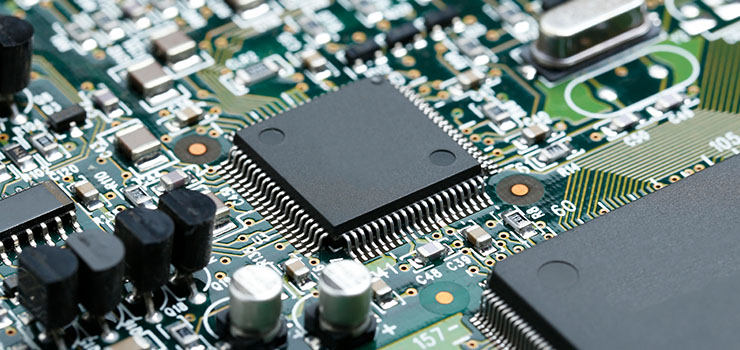
Let’s start with a little jargon busting, shall we?
A computer’s processor is its brain. It’s where the magic happens. Your computer’s processor controls everything your machine does – from managing data to executing commands.
And processors – specifically the way they operate – are a key point in the Mac vs Windows decision-making process.
The key difference? Who makes them, and how they’re designed to work.
Mac processors
Much like their ultra-sleek, space-age designs, Apple’s ethos on processors is rooted in efficiency and simplicity. (Not exactly surprising, eh?)
To maintain this ethos, Apple manufactures its own chips – like the M1, M2 and M3 – rather than relying on third parties. This gives them total control over the ecosystem.
Apple packs everything into a single ‘system on a chip’, handling graphics, memory and processing all in one place.
In practice, this makes performance sleek and efficient, as the parts can more easily ‘talk’ to each other, allowing Macs to run fast while using less battery. (It’s also why they tend to be much quieter than PCs, FYI.)
PC processors
PCs take a more modular approach. Most Windows machines use processors made by companies like Intel and AMD, giving users a much wider range of performance options.
This flexibility makes PCs particularly well-suited to power-hungry tasks like gaming, 3D design or heavy-duty multitasking.
And if you find yourself needing more processing power down the line, upgrading your CPU is often far easier on a PC than it is on a Mac.
RAM
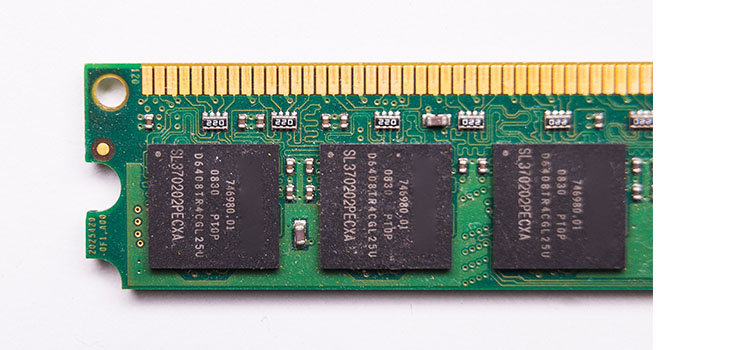
Let’s talk about RAM – one of those tech terms that gets thrown around a lot, often with very little explanation.
In simple terms, RAM (Random Access Memory) is your computer’s short-term memory.
It’s what allows your machine to juggle multiple tasks at once without breaking into a digital sweat.
For example, if you’ve got 14 browser tabs open, Spotify playing, a document half-finished, and you’re still pretending you’re ‘definitely going to reply to that email soon’, RAM is what keeps everything running smoothly.
The more RAM you have, the better your computer will be at multitasking, handling demanding applications and staying speedy over time.
RAM on Macs
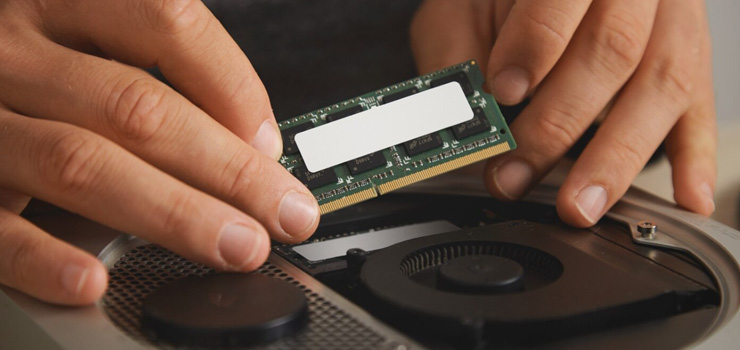
Apple’s modern Macs use something called unified memory, meaning the RAM is built directly into the same chip as the processor.
This makes everything fast, efficient and beautifully streamlined – very on-brand for Apple.
The downside? Once you’ve bought your Mac, that RAM is essentially locked in.
So if you choose a model with less memory than you end up needing, upgrading later isn’t really an option.
RAM on PCs
With PCs, things are a bit more flexible.
Many desktop PCs (and even some laptops) allow you to upgrade your RAM yourself, which is ideal if your needs grow over time.
So if you start out using your computer for basic tasks, then later decide to take up video editing, gaming or graphic design, a PC can often be boosted accordingly – no full replacement required.
Operating system

As is often the case with the Windows vs Mac debate, the real decision comes down to the type of experience you’re yearning for, as much as your technical needs.
macOS (Apple’s desktop operating system) is focused on simplicity, with applications designed to be as accessible and intuitive as possible.
It’s also built with fluidity in mind, allowing you to work seamlessly across Apple’s suite of devices.
That said, this fluidity is at its best when you’re fully in the Apple ecosystem – you can’t install macOS on anything but an Apple machine.
Apple devices are also often praised for their strong security reputations, thanks to Apple’s strict control over hardware and software.
Of course, Macs aren’t immune to viruses, so good online privacy practices are still essential.
Meanwhile, Windows operating systems prioritise familiarity and flexibility. They’re instantly recognisable across versions, and they support a vast range of software, hardware and custom setups.
Ubiquity is also key to Windows’ appeal, with Windows accounting for roughly 60% of desktop operating systems globally – making it easy to take your work onto other machines without missing a beat.
Design
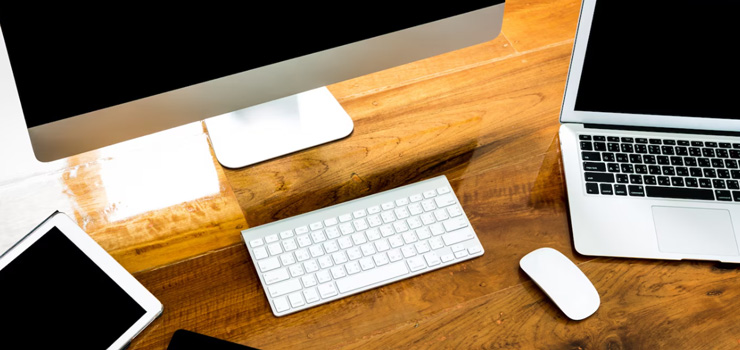
When it comes to the differences between Mac and PC, design is one of the most immediately obvious.
Even if you know absolutely nothing about processors, RAM or operating systems, you can usually tell a Mac from across the room.
Apple has built its reputation on sleek, minimalist machines that look and feel premium, with carefully crafted hardware and a very consistent aesthetic.
In other words: Macs are the ‘ultra-sleek coffee shop laptop’ for a reason.
From the aluminium unibody design to the crisp displays and slim profiles, Apple machines are designed to feel as polished on the outside as they are on the inside.
And because Apple controls the entire process – from the hardware to the software – everything tends to feel tightly integrated, intentional and (for the most part) effortlessly smooth.
Mac design: streamlined and consistent
One of the biggest advantages of Mac design is that you more or less know what you’re getting.
Whether you buy a MacBook Air, a MacBook Pro or an iMac, the design language is consistent: clean, simple and built with longevity in mind.
The downside, of course, is that Apple doesn’t offer much variety.
If you want a touchscreen laptop, a budget-friendly option or a machine with a wildly different form factor – you won’t find any surprises in the Apple lineup.
PC design: variety is the name of the game
PCs, on the other hand, are a much broader category.
A ‘PC’ can refer to everything from a slim, premium laptop to a chunky gaming machine lit up like a small spaceship.Because Windows computers are made by a huge range of manufacturers, there’s far more diversity in:
- Size and weight
- Build materials
- Screen styles (including touchscreens and 2-in-1 designs)
- Keyboard layouts
- Port selection
This variety is a big win if you want choice.
Need a lightweight laptop for travel? A powerhouse gaming rig? A no-frills budget machine? There’s probably a PC designed specifically for that.
Of course, the flip side is that quality can vary quite a bit depending on the brand and price point.
So, which wins on design?
If you value consistency, premium materials and that famously streamlined Apple feel, Macs are hard to beat.
But if you want flexibility, variety and the ability to choose a machine that suits your exact lifestyle (and budget), PCs offer far more options.
Security

Security is one of the most talked-about aspects of the Mac vs PC debate and, surprisingly, it’s also one of the most misunderstood.
You’ve probably heard the old refrain: “Macs don’t get viruses”.
And while that makes for a neat slogan, it’s not exactly true.
The reality is that both Macs and PCs can be secure machines, but they approach security in slightly different ways, and they face different types of risks.
Mac security: tightly controlled (for better and worse)
Apple has a reputation for strong security, largely because it keeps its ecosystem on a very tight leash.
Since Apple controls the hardware and the software, it can build in protective measures that work seamlessly across the entire system.
macOS also has strict app permissions, built-in malware protection and a fairly locked-down approach to software installation – all of which makes it harder for malicious programs to sneak in unnoticed.
In short: Macs are often secure by design.
That said, ‘harder to infect’ doesn’t mean ‘impossible to infect’.
As Macs have grown more popular, they’ve become a bigger target for cyber threats, so it’s still important to practise good digital hygiene – things like avoiding suspicious downloads and keeping your software up to date.
Windows security: bigger target, but constantly improving
Windows PCs, meanwhile, have historically been more vulnerable to viruses and malware, but that’s not necessarily because Windows is poorly built.
It’s mostly because Windows is everywhere.
With such a large share of the global desktop market, Windows machines are simply the most tempting target for hackers. If you’re casting a wide net, you fish where the fish are.
The good news is that modern versions of Windows come with powerful built-in security tools, such as Windows Defender, firewall protection and regular system updates that patch vulnerabilities quickly.
In other words, Windows security has come a long way.
So, which is safer?
The honest answer is: both can be very secure, as long as they’re properly maintained.
A Mac isn’t automatically immune to threats, and Windows PC isn’t automatically unsafe.
Your safest option – regardless of platform – is to:
- Keep your operating system updated
- Use strong passwords
- Avoid sketchy downloads
- Be cautious with email attachments
- Consider antivirus protection if needed
Think of it this way: the best security feature on any computer is a well-informed user.
(Not quite as sleek as a fingerprint scanner, but far more effective.)
Price

Ah yes – the part of the Mac vs PC debate where wallets begin to tremble.
Price is one of the most obvious differences between Macs and PCs, and for many people, it’s the deciding factor.
At a glance, Macs tend to be more expensive, while PCs offer a much wider range of price points – from budget-friendly basics to high-end machines that cost as much as a small car.
So, what’s actually going on here?
Mac pricing
Apple positions the Mac firmly in the premium category.
Even the most entry-level MacBook models come with a relatively high starting price, and upgrades (like extra storage or more memory) can push that cost up quickly.
That said, part of what you’re paying for is the overall build quality, efficiency and the tightly integrated Apple ecosystem.
Macs also tend to hold their value well over time, meaning they often have stronger resale prices than many comparable PCs.
In other words: the upfront cost is higher, but the long-term value can balance things out.
PC pricing
PCs, on the other hand, are available at almost every price level imaginable.
Need a simple laptop for browsing, emails and Netflix? There’s a PC for that.
Want a gaming beast with enough power to launch a small spacecraft? There’s also a PC for that.
Because Windows machines are made by a huge range of manufacturers, you have far more flexibility to choose a computer that matches your budget and your needs – whether that budget is modest or monumental.
That trade-off is that quality varies more widely.
A very cheap PC might not have the same longevity or premium feel as a higher-end machine, so it’s worth paying attention to specs and build quality rather than price alone.
The bigger question: what are you paying for?
Ultimately, the Mac vs PC price debate isn’t just about the number on the tag – it’s about what you want from your machine.
If you’re looking for a sleek, long-lasting device with Apple’s signature simplicity, a Mac may be worth the investment.
If you want maximum choice, customisation or a more budget-friendly option, a PC may offer better value for money.
And whichever route you choose, understanding your needs first will help you avoid paying for features you’ll never actually use.
We’ve all bought a fancy gadget with good intentions only for it to become an expensive paperweight.
So, which should you choose?
So, after all that – where do we land on the great Mac vs PC question?
The truth is, there isn’t a single ‘correct’ answer. Macs and PCs are both powerful, capable machines, and the best choice really comes down to what you need from your computer.
If you value simplicity, sleek design and the kind of seamless experience that comes from being fully in the Apple ecosystem, a Mac may be the perfect fit.
On the other hand, if you want flexibility, upgrade options, a wider range of devices, or a machine tailored to a specific budget or purpose (gaming, business, creative work – you name it), a PC could be the better choice.
Ultimately, it’s less about picking a side, and more about picking a computer that suits your lifestyle.
And whichever route you choose, it’s worth remembering that you don’t necessarily have to buy brand new to get a high-quality machine.
Refurbished Macs and PCs can offer the best of both worlds: reliable performance, a lower price tag and a more sustainable way to upgrade your tech without emptying your bank account in the process.
Need more advice? Check out the Stone Refurb blog for more beginner-friendly guides, comparisons and tips – whether you want to know about the advantages of desktop computers or looking for your first gaming PC, we’ve got you.
 RSS Feed