


Imagine you’re midway through drafting an important, time-sensitive email. There’s a lot riding on it. You’ve written and re-written, tweaked and pruned.
And you’re finally satisfied with it. But before you can send this crucial email, your laptop battery dies, and with no power outlet in sight, you’re, well… screwed.
That is, of course, an exaggerated example—emails shouldn’t be that crucial, ever—but the need to extend the life of a laptop battery is real.
Whether the clock’s ticking on an essay deadline or you’re tackling a time-sensitive task in a busy coffee shop, long laptop battery life is essential.
Aside from deadlines and daily tasks, there are also economic and environmental issues to consider, with the two more closely linked than you may think.
You see, laptop batteries degrade over time, a process that’s sped up by constant charging. And the faster your laptop battery degrades, the sooner you’ll need to buy a new laptop, eating a big ol’ chunk from your monthly budget.
And what of your now-defunct laptop? Well, unless you recycle it, chances are it’ll find itself in a landfill, which, let’s face it, is dreadful for the planet.
FYI: laptops account for a sizeable portion of the 12 million computers consigned to landfills in the past five years.
With that in mind, we figured we’d step in and help prevent the dead battery blues, exploring how to maximise the battery life of a laptop.
In this blog, we’ll explore hacks such as:
- Adjusting the brightness of your screen
- Keeping your laptop cool
- Closing apps you’re not using
- Adopting the 80/20 charging rule
- Keeping your apps and system software up to date
But before we dive in, let’s take a beat to explore how long a laptop battery can last.
How Long Can a Laptop Battery Last?
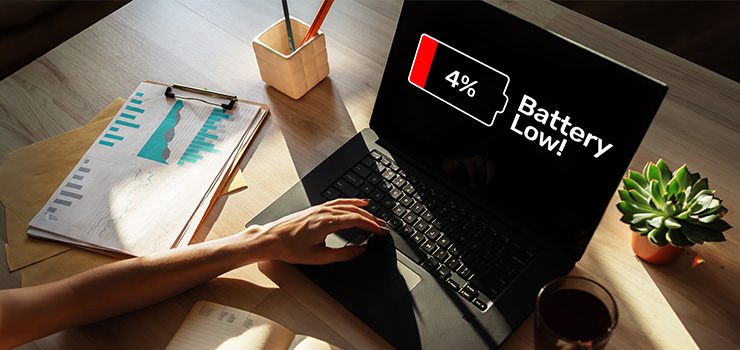
Properly maintained, the average laptop battery lasts 2 -5 years.
But average is the operative word, and there are many factors that can speed up the demise of your laptop’s battery life, requiring more frequent (and costly) replacements.
Some of these factors include:
Temperature
The temperature of your laptop plays a crucial role in both its performance and battery longevity. The hotter it gets, the faster it’ll burn out.
An oversimplification? Sadly, no. Strap in for a little science.
High temperatures speed up chemical reactions in laptop batteries, causing materials to degrade and effectively fast-tracking the device’s untimely demise.
A laptop frequently exposed to high temperatures will lose months—and even years—from its lifespan.
Whether this is the ambient temperature of the room or heat caused by running multiple demanding applications, the result is the same: a shorter lifespan.
Charging habits
Are you a habitual over-charger, plugging your laptop into the mains the second it dips below a certain percentage?
You might want to, y’know… not do that. Charging habits are a major contributor to the shortening of laptop battery lives, regardless of make and model.
Simply put, the more often you charge your laptop from 0% to 100%, the sooner you’ll be shelling out for a new device, eating into your hard-earned dough.
Don’t worry, we’ll hit you with some tips on charging best practices soon.
Non-certified chargers
It probably won’t come as a surprise, but it’s important that you use a charger that’s intended for your laptop. Ideally one produced by your laptop’s manufacturer and intended for your specific model.
By using a non-certified, third-party charger, you’ll unwittingly shorten your laptop battery’s lifespan and even risk other hazards, such as fires and overheating.
It all comes down to voltage. Using a charger that’s not intended for your laptop won’t deliver the voltage your device needs, resulting in under-charging, which, in turn, will see you charging your device more frequently.
And as we know, that’ll degrade the battery.
Extending your laptop battery life: our tips

Okay. So you know what factors affect your laptop battery life, and you know the economic and environmental issues of constantly replacing laptops with burned-out batteries.
Now we’re into the good stuff. Our tips, tricks, and hacks for extending your laptop’s battery life.
FYI: Your mileage may vary on these tips, depending on the make and model of your laptop, as well as what you use it for. That said, they’re generally agreed-upon by tech-whizzes across the board, so they’re worth keeping in mind.
Adjust the brightness of your screen
Do you keep your laptop’s brightness permanently dialled up, forever on the cusp of bright enough to register as a celestial body?
Yeah… you should avoid that.
Aside from the potential for eye strain (and confusing NASA), it’s a major contributor to the untimely demise of your laptop’s battery.
It sounds untrue, but your screen brightness is one of the most significant drains on your laptop’s battery life, eating up power like nobody’s business.
Fortunately, it’s also the easiest tweak to make to extend your battery life, requiring little more than lowering your brightness to a reasonable lux.
It’s easy to fall into the trap of boosting your screen brightness when working in dim environments, but it’s much better for your battery life to flick on a light.
It may take a little trial and error to find the right balance, but it’s worth it.
Keep your laptop cool… but not too cool
Hot laptops burn out faster. Well, their batteries do.
We could write an entire blog post about the importance of keeping your laptop cool, but in the context of extending battery life, it’s vital.
An overheated battery causes the components to work much harder, taking a serious toll on your battery, accelerating its path to burnout.
The good news? There are multiple methods of keeping your laptop cool, including ensuring vents and fans are clear, avoiding using your laptop on beds and sofas, and investing in a cooling pad for more demanding tasks.
It’s also wise to consider the ambient temperature of the room you’re using your laptop in, as this also plays a factor in overheating your device.
TL;DR: Keep your laptop cool, your battery will thank you for it.
Close apps you’re not using
The average laptop user has 14.7 million apps open simultaneously.
Okay, that’s obviously an exaggeration—your hard drive would cry—but more often than not, you’ll open an app, use it, then move on without closing it.
And that can be hazardous to your laptop’s battery life.
Having multiple apps and programs open at once dramatically drains your battery life, sending you running for the nearest plug socket, setting off a vicious cycle of battery-drain and over-charging that’ll eat your battery for breakfast.
If possible, only keep the apps you’re currently using open, exiting any others once you’ve finished with them. The fewer apps you have running, the longer your battery will last.
Read your emails? Close the app. Checked your calendar? Close the app. Edited a bunch of photos to remove that hanger-on who gate-crashed your night out…?
You get the point.
Of course, not all apps are created equal, and some will eat up more power than others, so it’s worth opening up your settings and getting a read of which apps tax your battery the most and using them only when you have to.
Adopt the 80/20 charging rule
Another day, another tech ‘rule’. But this one is worth your attention.
The so-called ‘80/20’ charging rule refers to the practice of holding off on charging your laptop until the battery is at 20%, then only charging it up until it hits 80%.
It’s a charging cycle that keeps your laptop in the power sweet spot—never too low, never too high—which reduces the stress placed on your battery by repeatedly charging from 0% - 100%.
You see, lithium-ion batteries experience significantly more stress at the extremes of their charging cycles, which causes them to age much faster.
Of course, while the 80/20 rule is a healthy charging habit to develop, it’s not a concrete rule that can’t be broken, more of a guideline. It won’t do too much harm in the short term, but it’ll definitely take its toll over time.
But if monitoring your battery as it charges, poised to yank the cable from the socket the moment it hits 80% sounds like a hassle, check if your system settings allow you to limit the full charge of your laptop.
Keep your apps and system software up to date
Like an old engine, dragging your car to a crawl and burning through fuel, outdated apps and operating systems can cause your laptop to work much harder, negatively impacting your battery life over time.
As you’ve probably noticed, apps and software are constantly being tweaked and fine-tuned by developers in a quest to keep everything speedy and streamlined.
And as they’re aware that battery drain can be the bane of users’ lives, they keep a close eye on fixes that improve battery life.
All you’ve got to do to benefit from this zeal for performance is keep your apps and system software up-to-date, perhaps even enabling automatic updates to free yourself of the chore of manually updating everything.
Unless that’s your thing, in which case, you do you.
However you approach it, the more efficient your system, the more juice you’ll squeeze out of your battery, which will extend the overall life of your machine.

And there you have it. Our picks for the tricks, tips, and hacks you need to know to extend your laptop’s battery life.
As with any tech advice, your mileage will vary based on what you use your laptop for, so it’s wise to keep an eye on your battery’s overall health.
Need more tech advice? Check out our blog, where you’ll find articles on everything from MacBook hacks to make your life easier and what the end of Windows 10 support means for you.
 RSS Feed